
Questionnaire flow
Once vendors are onboarded and their compliance documents are uploaded, the questionnaire flow is initiated to assess their security and compliance posture.
By default, the system uses Redacto’s Standard Questionnaire, which includes 140+ questions.
These questions are carefully designed to cover all major security, privacy, governance, compliance, and operational control domains (e.g., Data Privacy, Access Controls, Encryption, Incident Response, Business Continuity, Regulatory Compliance).
This ensures that no critical area is missed during vendor evaluation.
The questionnaires that are to be sent are completely modifiable based on your requirements, where you can even edit every question to specifically have checkbox, radio, and or even add a file option that you can add as a child (multiple) to the parent questions.
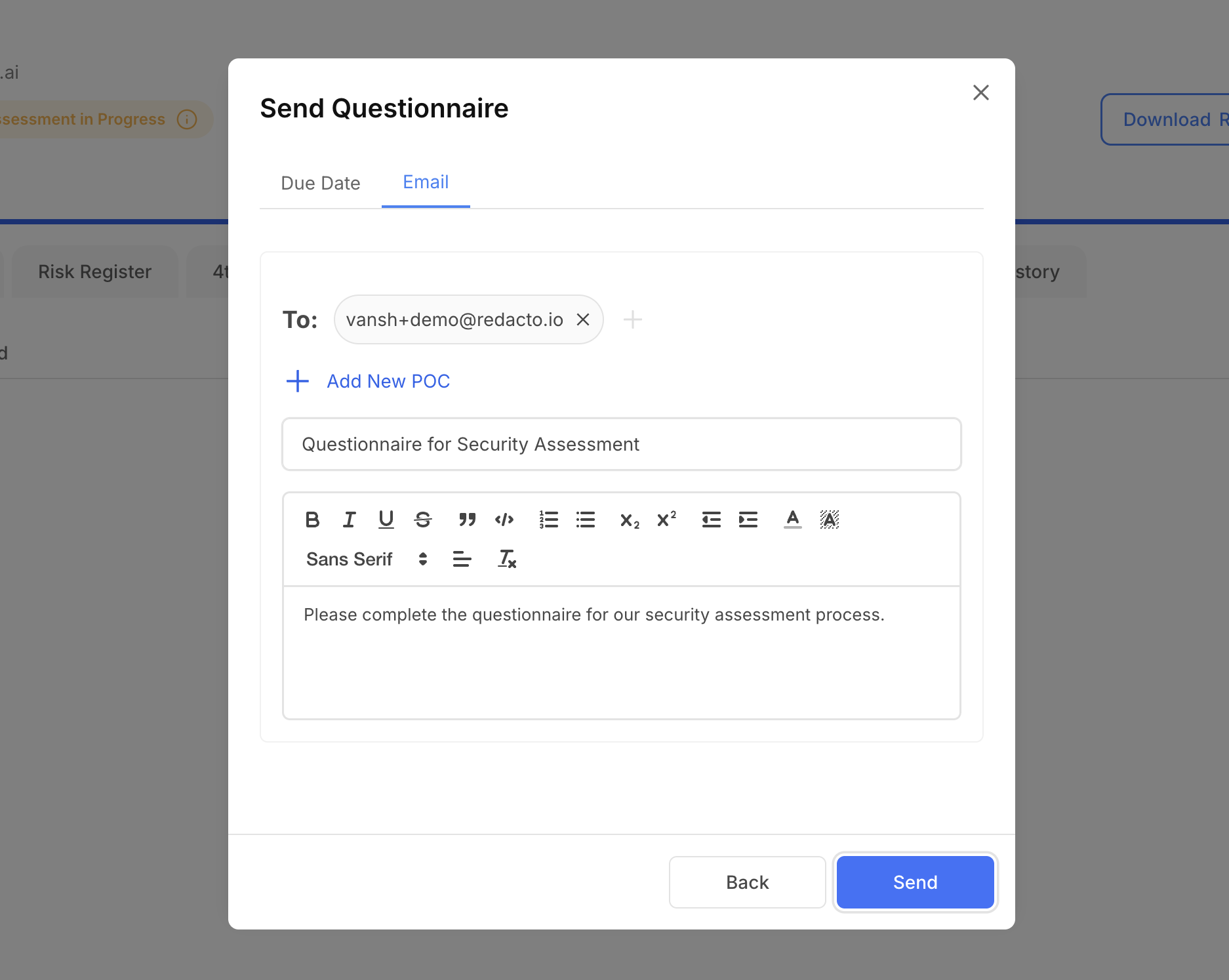
By default, the questionnaire notification email is sent to the vendor’s primary SPOC (Single Point of Contact). The platform provides flexibility to tailor the dispatch process with the following options:
- Schedule Delivery – The date and time for sending the questionnaire can be modified to align with vendor availability or internal timelines.
- Add Alternate Respondents – In addition to the primary SPOC, another user can be designated to receive and complete the questionnaire, ensuring business continuity if the primary contact is unavailable.
This ensures that vendors receive the questionnaire in a timely manner, with the option for multiple authorized users to collaborate on responses.
Once documents such as Privacy Policy, SOC 2, ISO 27001, PCI DSS, DPA, and MSA are uploaded, Redacto AI automatically parses and maps evidence. As shown in the image below, nearly 90% of the questionnaire is pre-filled by AI, leaving only a small number of questions for the vendor to complete manually. This significantly reduces the workload for both the vendor and the client, thereby accelerating the assessment cycle and ensuring faster turnaround..
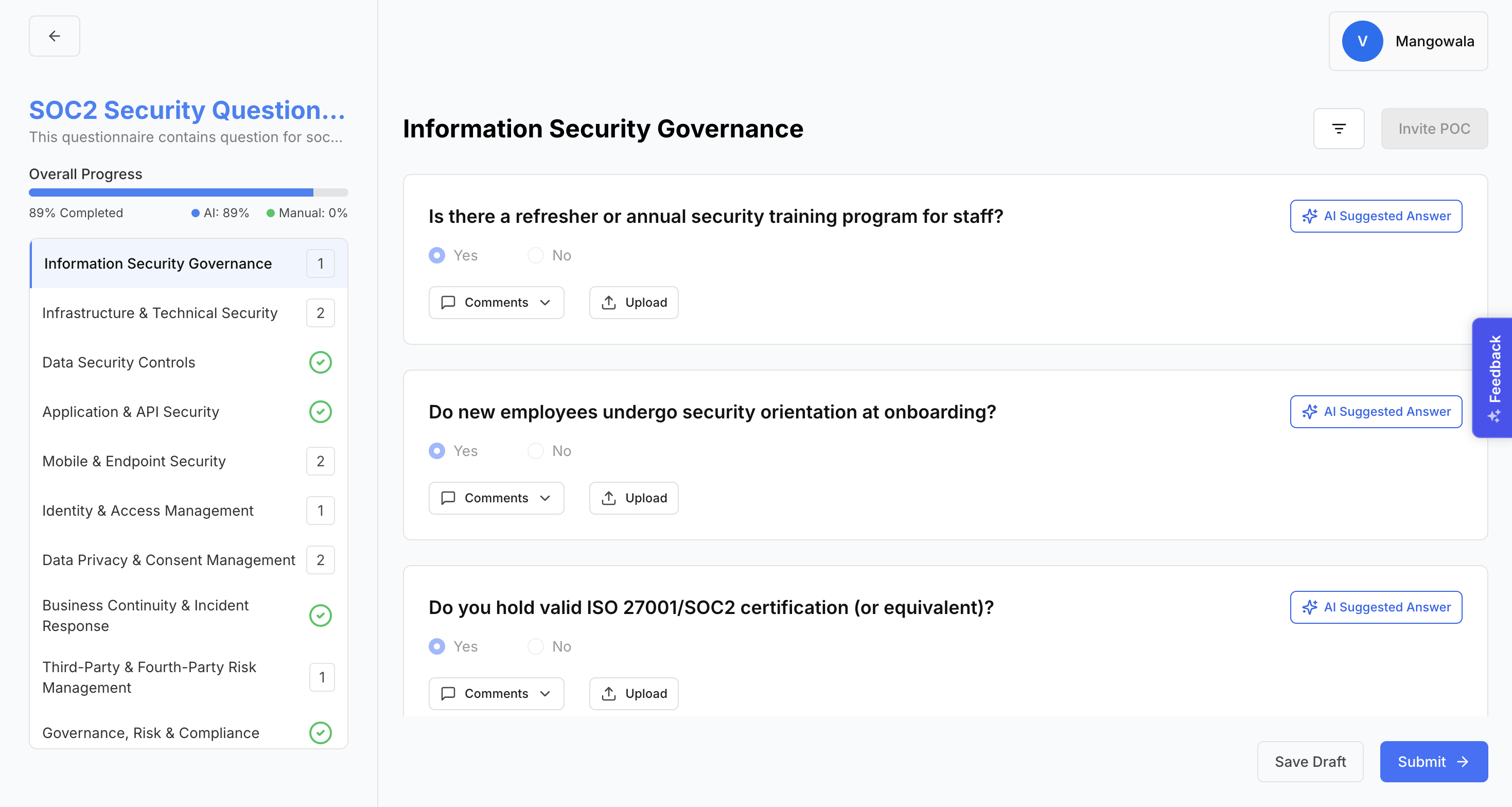
Vendors can add comments to each question if they wish to communicate additional context or clarifications to the client. Additionally, an upload option is available, allowing vendors to attach supporting evidence directly to their responses, ensuring that answers are backed by verifiable documentation.

Once submitted , the client user can view that the vendor has submitted the questionnaire and can now review the filled answers.
The responses feed into the Risk Register, alongside document-based risk findings. Each risk is assigned a severity (Low/Medium/High/Critical).
Reviewers can take action on each risk (Accept, Reject & Escalate, or Mark N/A) and provide comments or attach their own evidence.
Once the reviewer completes the evaluation of the submitted questionnaire, they can verify and submit the responses. After submission, a final Trust Score is generated, enabling the client to assess the vendor’s overall risk posture and security health.
Updated 4 months ago