
Autofill Questionnaire using AI
- In the AI-Powered Response System, users can easily import security questionnaires for automated responses. A reference Excel template is available for download, containing a column of questions with empty fields for answers.
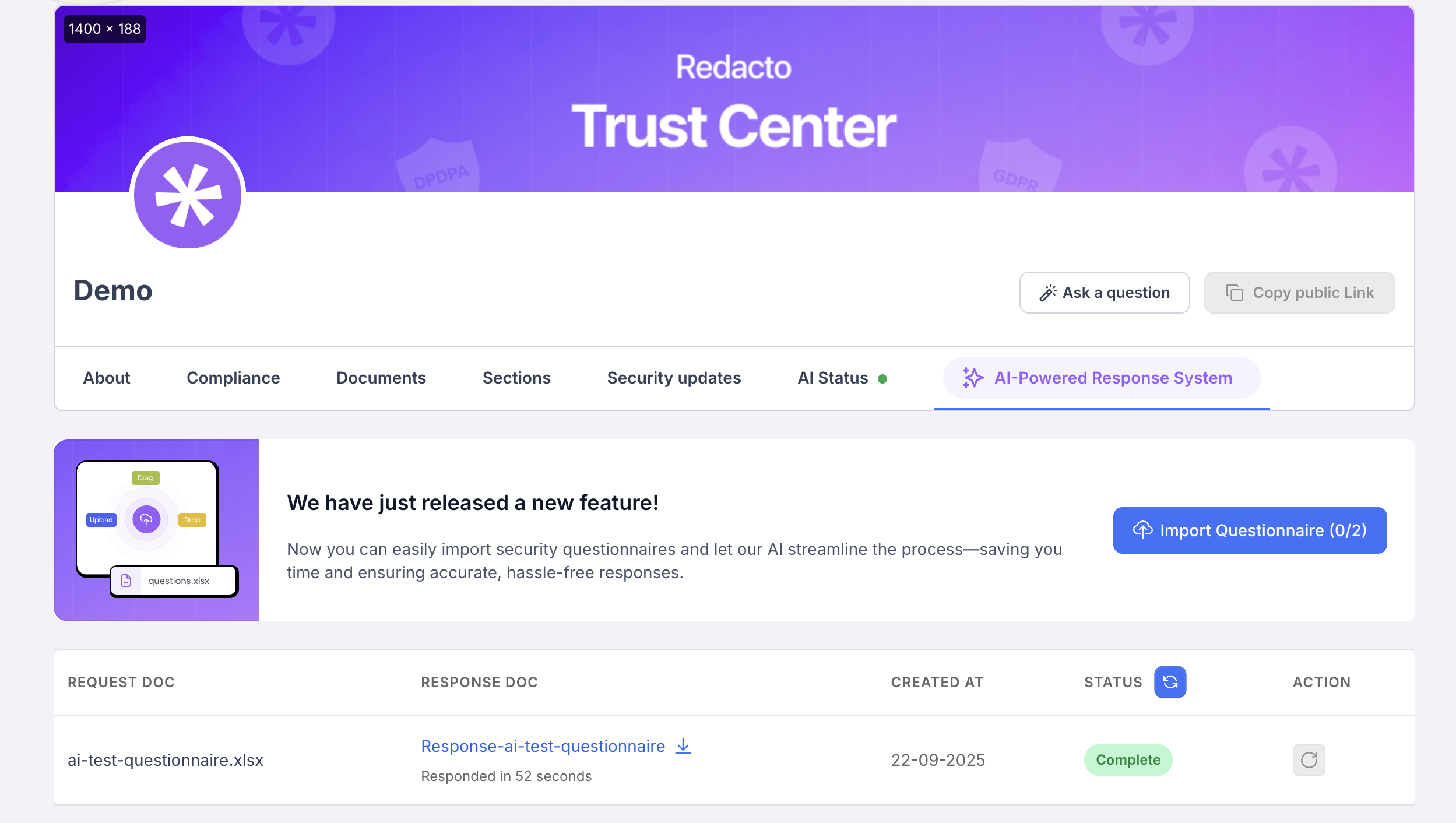
Questionnaire flow
- Once uploaded, the AI processes the file and generates responses. Users can select their preferred answer style — Concise, Normal, or Explanatory ensuring flexibility and accuracy based on the level of detail required.
-
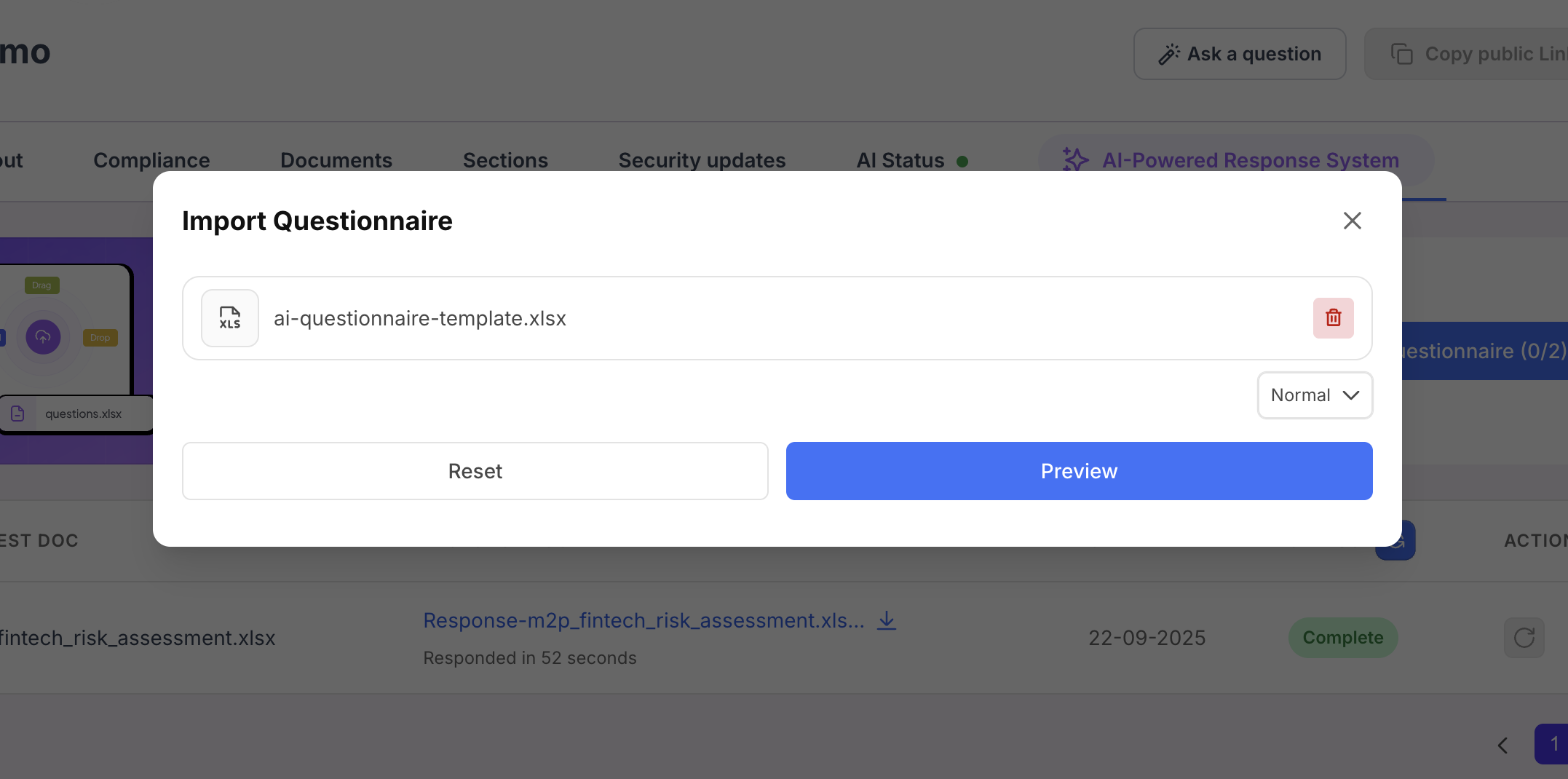
Import questionnaire
- Users can also use the Excel Preview feature that allows users to view their uploaded file directly within the interface and select which sheet (when multiple sheets exist) should be used for auto-filling the questionnaire. During preview, users must specify four key inputs --> Question column, Answer column, Start Row, and End Row to precisely define the range of questions and answers to extract, ensuring accurate, efficient, and context-aligned questionnaire completion.
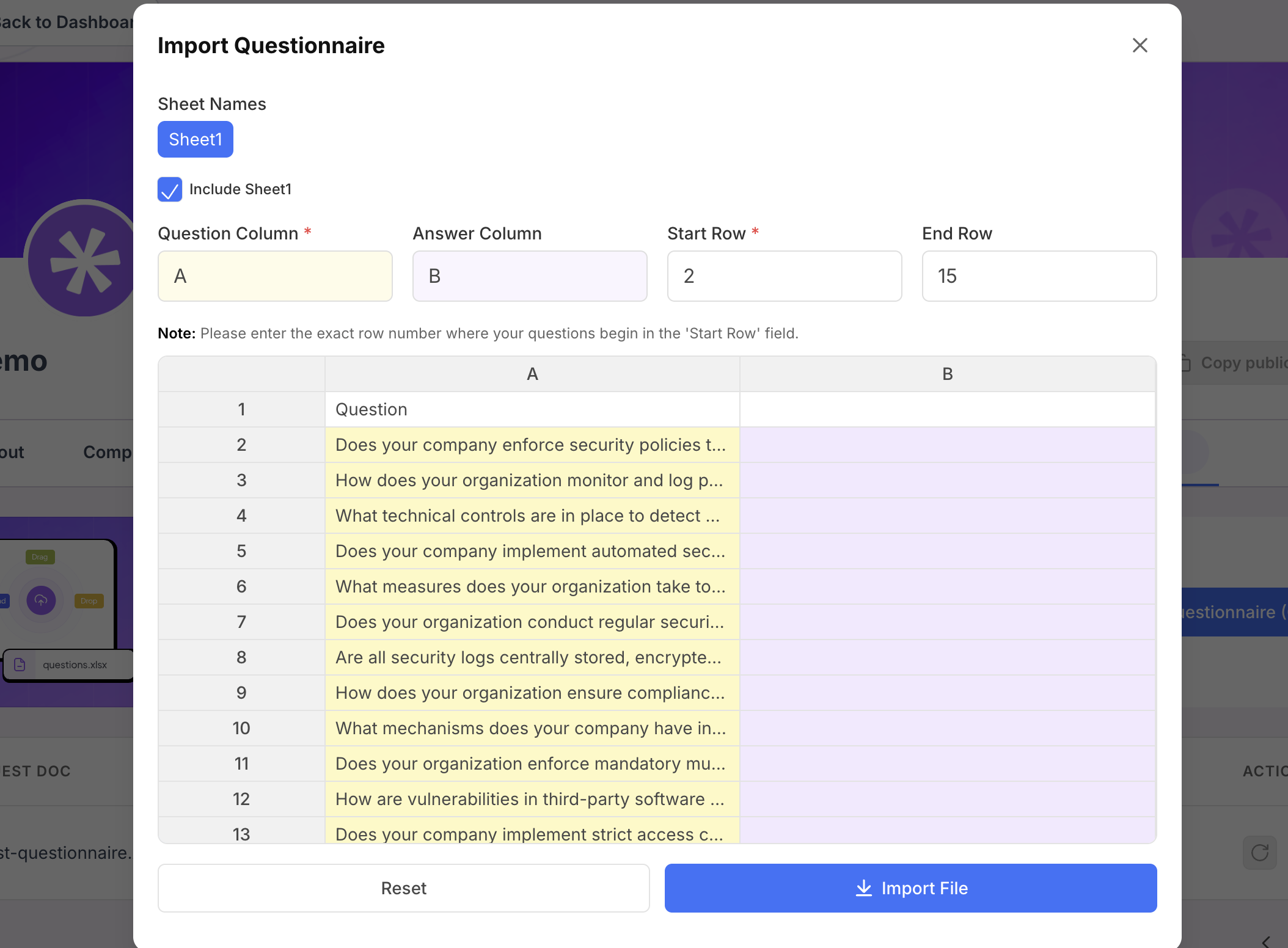
Preview questionnaire
-
The answers generated by the AI are organised into multiple columns within the response sheet. The structure typically includes:
- Question Column – Displays the questionnaire items (based on where they were entered).
- Answer Column – Contains the AI-generated responses.
- Citation Column – References the source documents from which the AI extracted the information.
This format ensures clarity, traceability, and easy validation of responses against supporting evidence.
Updated 4 months ago