
Central Risk Register
The Central Risk Register serves as a key component of the Vendor Risk Management (VRM) platform, providing VRM analysts with convenient access to prioritized risk information across all vendors. This feature enables analysts to quickly identify, review, and take appropriate action on vendor risks without navigating through multiple reports or data sources.
The register includes multiple filtering options to refine and analyze risk data effectively. Analysts can filter consolidated risks based on various parameters such as:
- Document type – view risks associated with specific compliance or security documents (e.g., SOC 2, ISO 27001, etc.)
- Severity level – categorize risks as high, medium, or low for prioritization.
- Risk status – differentiate between open and closed risks to monitor remediation progress.
- Vendor name – focus on risks associated with a specific vendor or group of vendors.
For example - If a VRM analyst needs to view all high-severity risks derived from the SOC 2 Type II Report that are currently open and unresolved, the filtering options in the Central Risk Register can be configured accordingly. The resulting view provides a focused summary of the exact risk items that require attention, allowing for more efficient risk analysis and action planning as shown in the screenshot below.
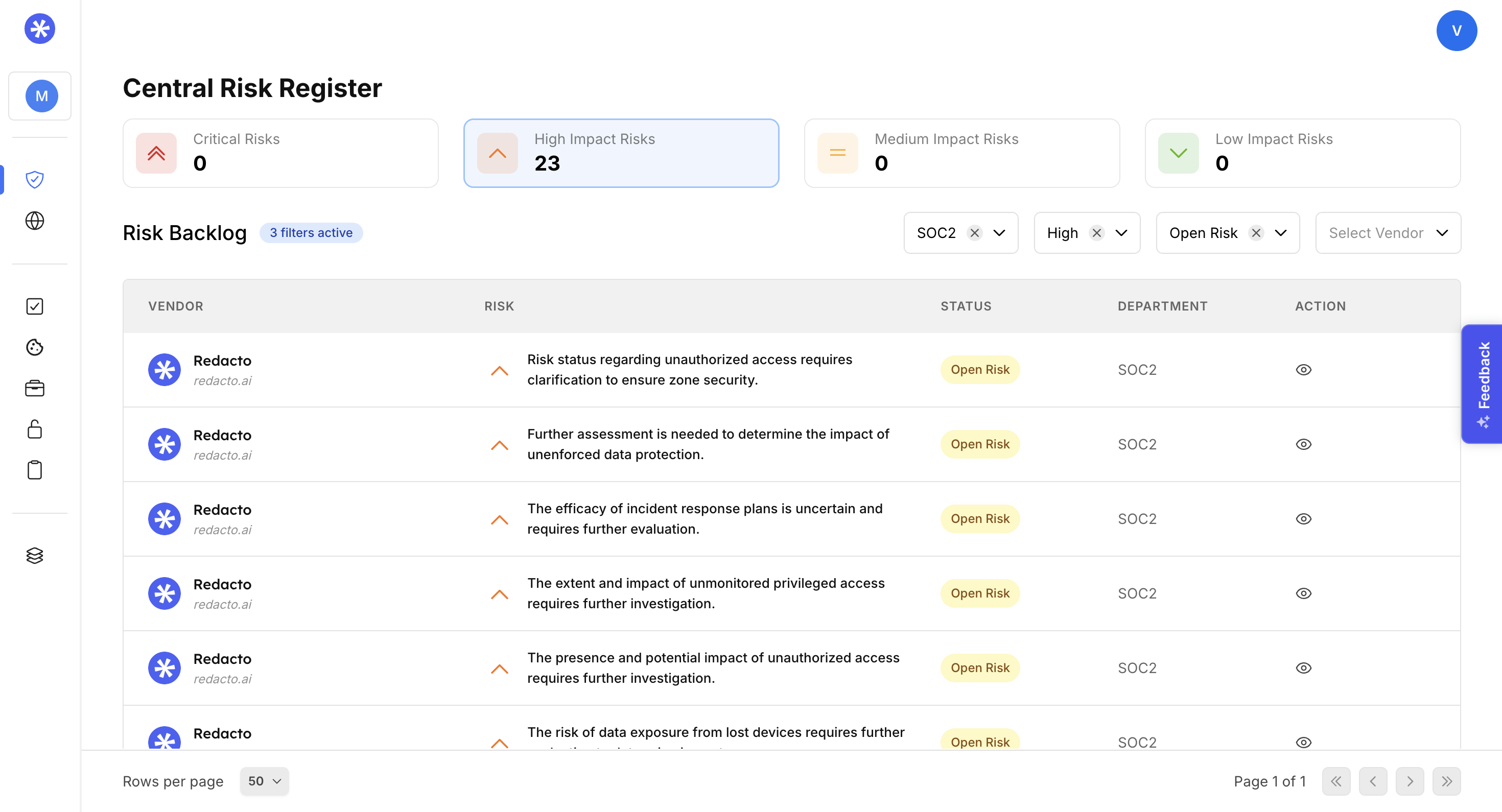
Central Risk Register
Users can take action on specific risk items through the Action option available next to the Department section on the right-hand side of the interface. This enables the creation and escalation of a case to internal members within the organization.
Upon selecting the Action button, the system navigates to a detailed risk management view where users can enter risk information, attach supporting evidence, and add relevant comments.
Within this view, users can:
- Identify the associated control or domain to which the risk belongs.
- Assign the risk to any internal member or team for mitigation.
- Set the current status of the risk and define a target deadline for resolution.
All actions and updates performed on the risk item are automatically recorded in the Activity section, adjacent to the Comments section. This enables full visibility into the history of modifications, showing which authorized user made specific changes to the record.
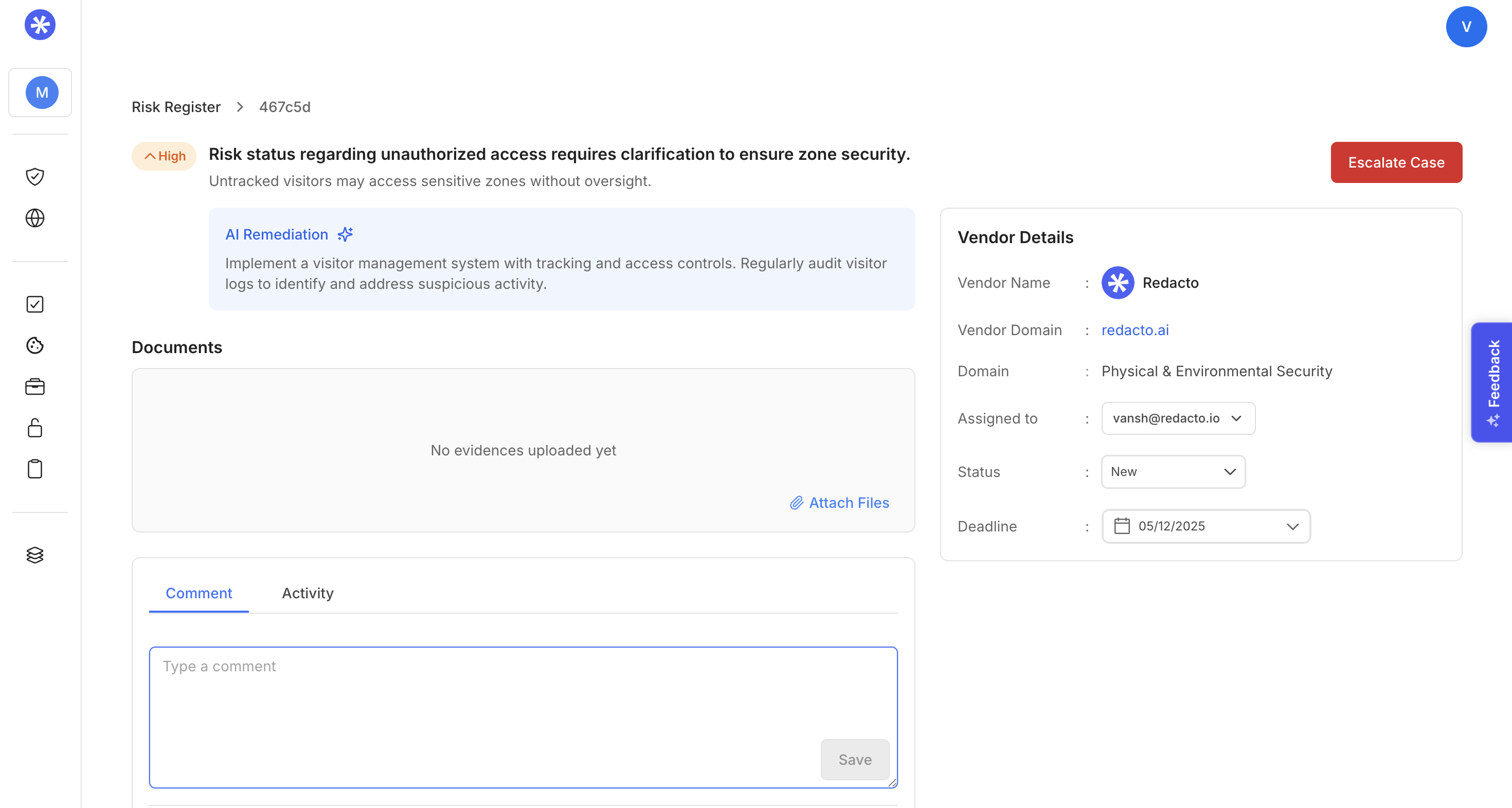
Escalating a case
After reviewing the case , you can click Escalate Case and set the priority of the risk and mention the reason and submit the case to escalate it.
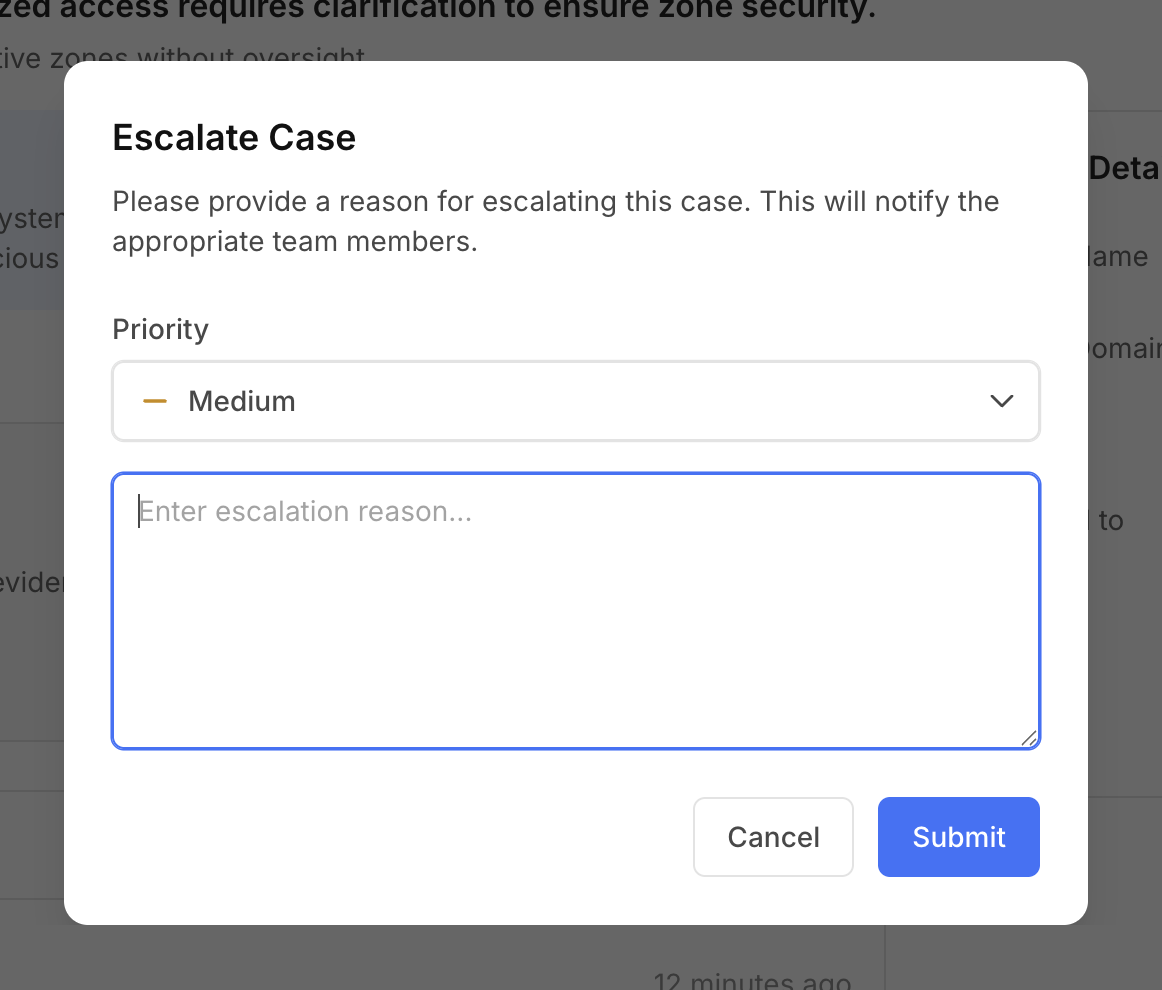
Justify and set escalation of case
Updated about 2 months ago