
Custom Attributes
The Custom Attributes section allows users to define and configure additional questions or data points relevant to their vendor onboarding process. As shown in the example below, this feature provides complete flexibility to tailor the onboarding form to specific business requirements.

Custom attributes
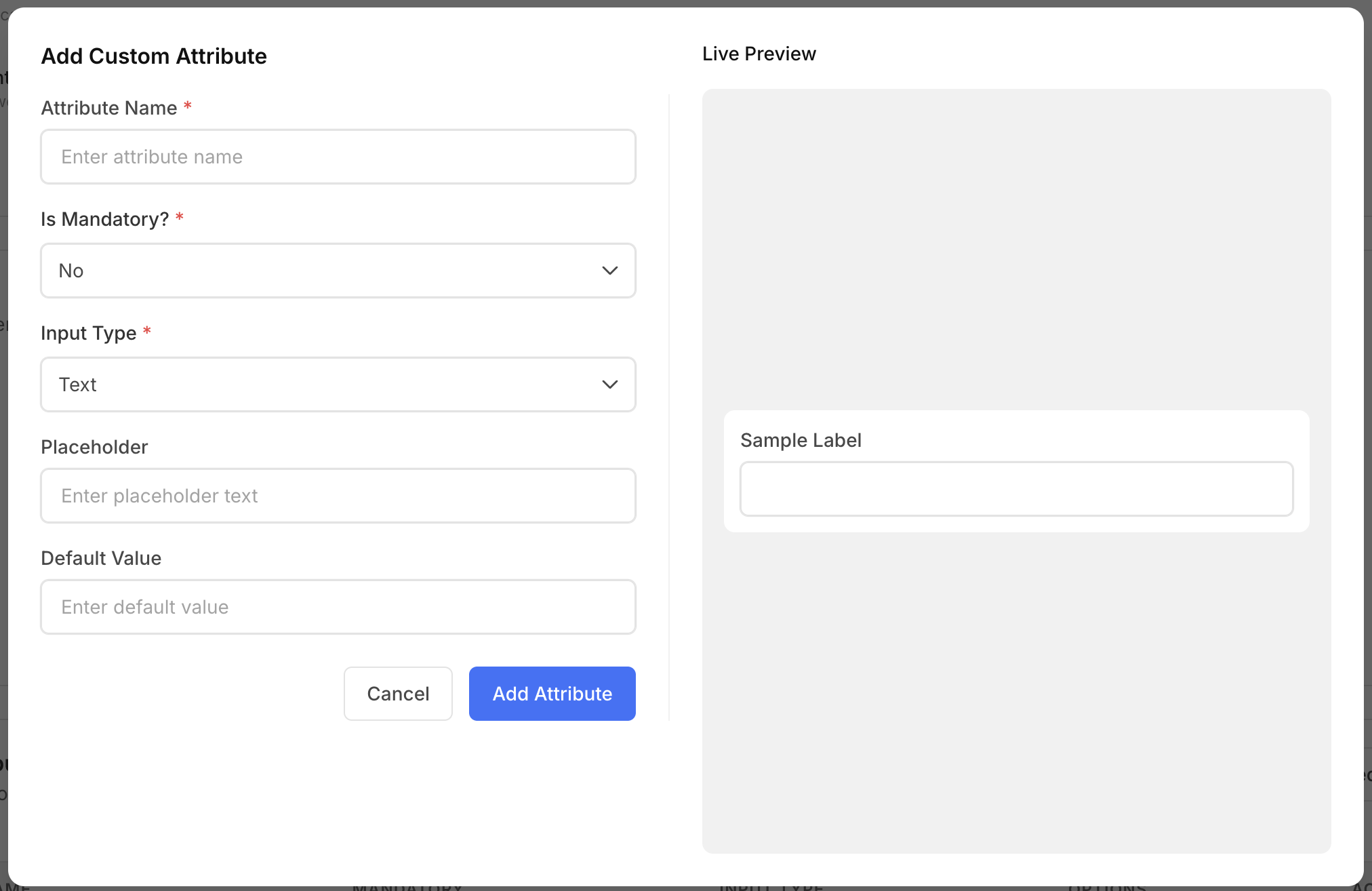
By clicking Add Attribute, a dialog box appears where users can:
• Specify the attribute name. • Set the attribute as mandatory or optional. • Choose the input type — Text, Tags, Single Select, Multi Select, or Checkbox. • Define a placeholder value to guide input. • Select a default value, if required.
Once configured, these attributes can be used as questions or checklist items during vendor onboarding, offering a customizable and dynamic experience aligned with the organization’s data collection needs.
In addition to using the Custom Attributes option, you can also select from a predefined list of attributes provided by Redacto, as illustrated in the image below.
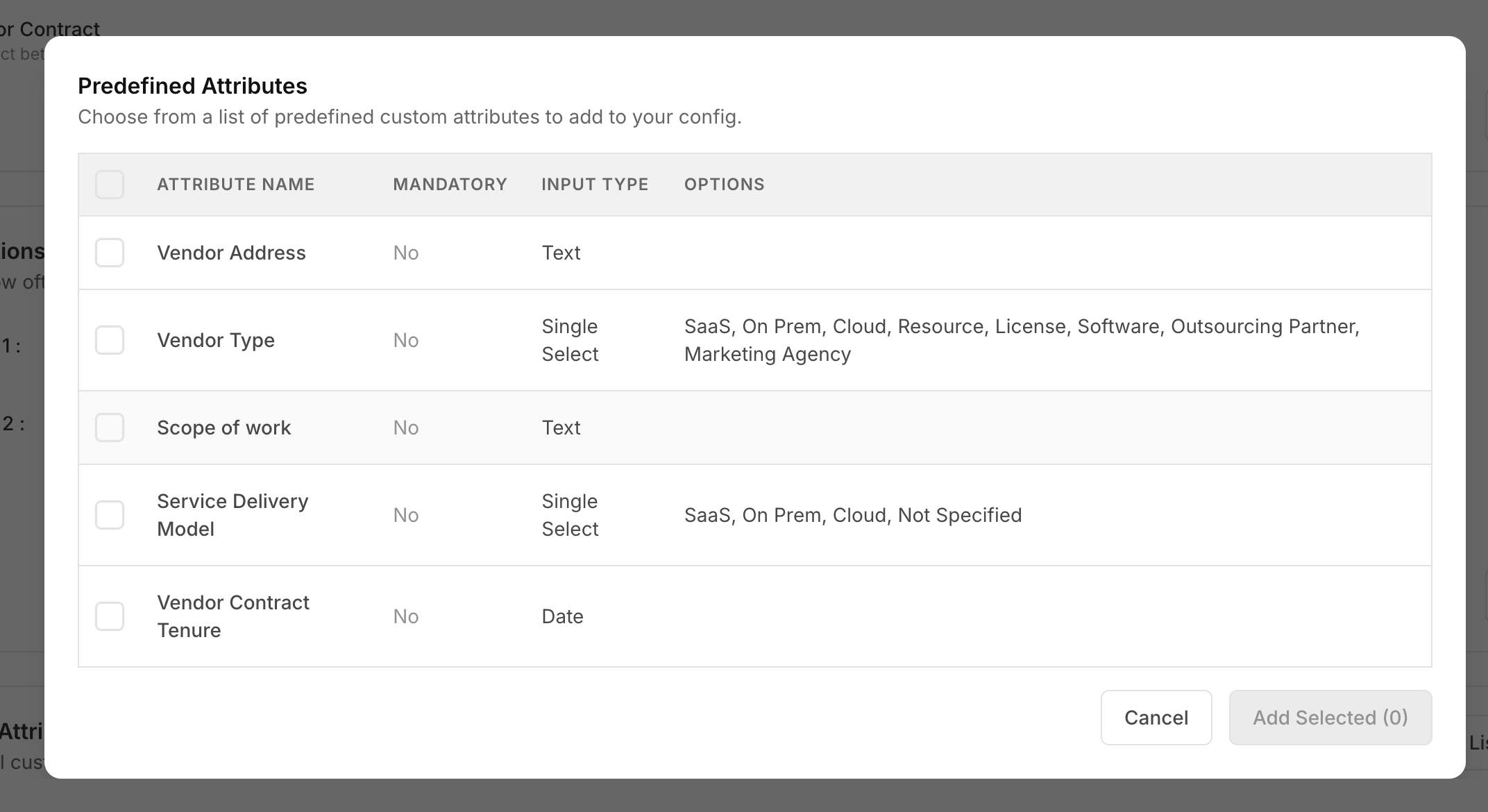
Predefined List of Attributes
Updated about 2 months ago